

Abandoned cart WhatsApp reminders
Recover unfinished WHMCS carts with first, second, and final WhatsApp reminders.
When a logged-in client leaves items in the cart, the connector can store that cart and send reminders on a schedule you choose.
Turn reminders on
- Open Client templates → Abandoned Cart.
- Enable First, Second, and/or Final cart reminder templates.
- Set the Delay (days) on each stage.
- Write or map the message. Useful variables include
{cart_items},{cart_total},{cart_currency}, and{cart_restore_link}.
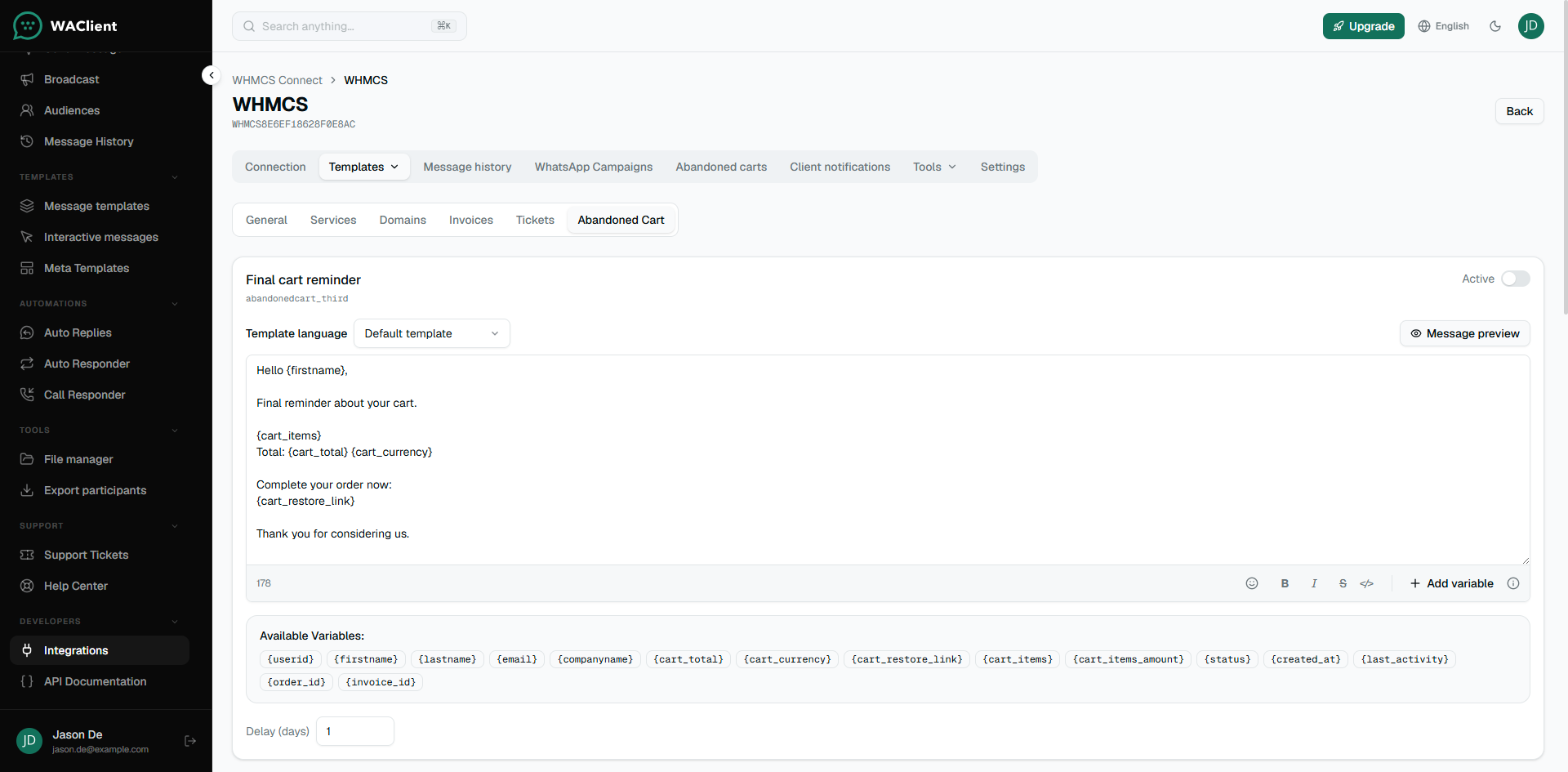
{cart_restore_link} points at WHMCS restore.php and puts the cart back so the client can check out.
Review carts
Use the connection’s Abandoned carts tab to see open carts, last activity, and reminder status. You can send a reminder manually from there when you need to.
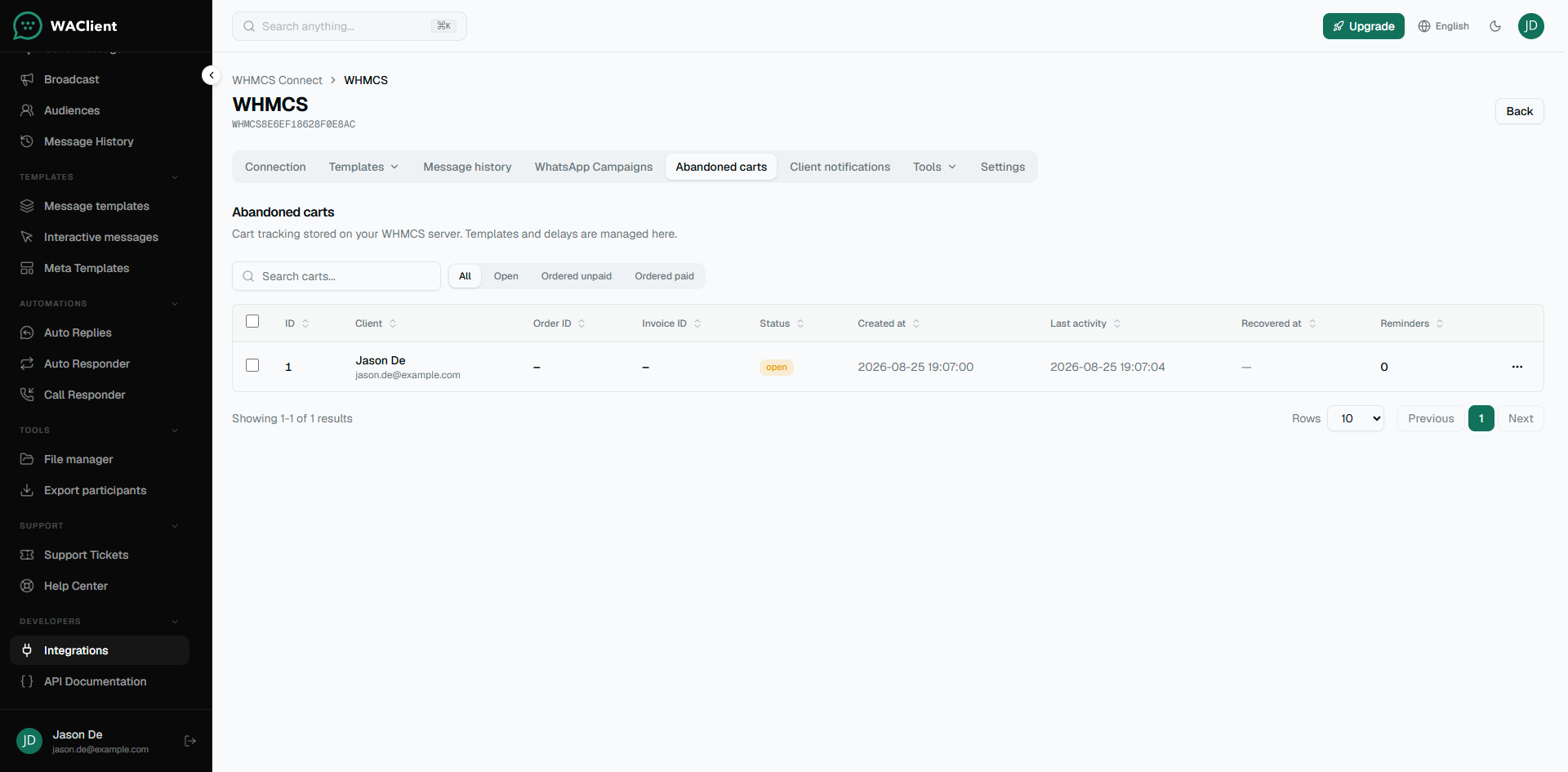
Cart data stays in your WHMCS database. WAClient only orchestrates templates and sends.