

WhatsApp Web vs Cloud for WHMCS
How Web and Cloud connections behave differently for WHMCS notifications, campaigns, and Meta templates.
Every WHMCS connection is either WhatsApp Web or WhatsApp Cloud. Pick this when you create the connection. Changing it later means rebuilding how templates are written, so choose based on how you already use WhatsApp in WAClient.
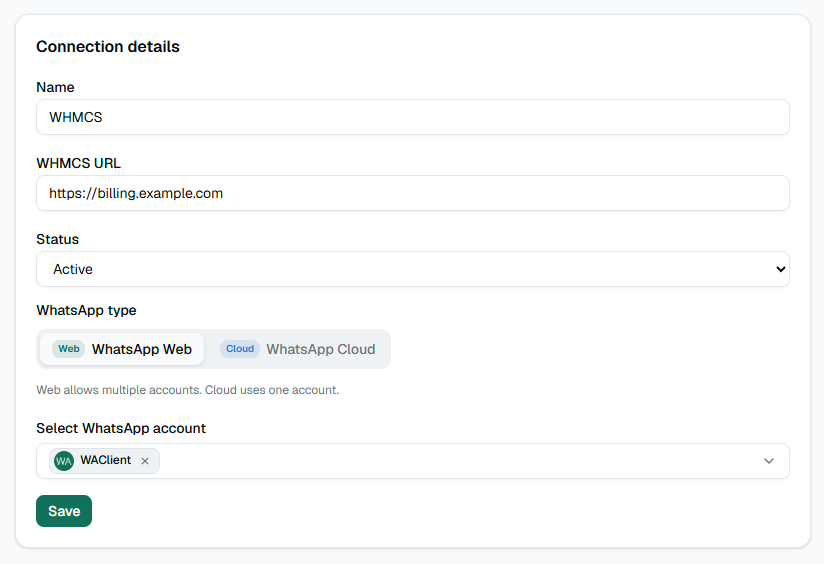
WhatsApp Web
- You can attach more than one Web account. Outgoing WHMCS messages rotate across online sessions.
- You write the message text yourself in WAClient, with placeholders like
{firstname}and{invoice_link}. - Multi-language bodies are available after you open the connector settings in WHMCS once (language sync).
- Campaigns can use a normal composed message (text and optional media).
- From a client profile in WHMCS you can send a free-text WhatsApp message.
WhatsApp Cloud
- One Cloud account per connection.
- Each notification must map to an approved Meta template. You do not free-type the final WhatsApp body the same way as Web.
- Map WAClient variables into the Meta template parameters (header, body, buttons).
- For invoice, quote, and ticket buttons that say “Visit website”, use the dynamic URL pattern with your short code (see the one-click links article).
- Campaigns require a Meta template.
- Sending from a WHMCS client summary means picking a Meta template and filling its fields.
Attachments and PDFs
Invoice events can attach a PDF. On Cloud, Meta needs a real, publicly reachable file. The connector can generate that PDF for you. Do not rely on WHMCS download links that require a logged-in session—Meta’s servers cannot open those.
Which should you use?
Use Web if you already run WhatsApp Web in WAClient and want full control over message wording without Meta template approval delays.
Use Cloud if your number is on the official Cloud API, you need template compliance, or you already maintain approved Meta templates for marketing and utility messages.