

Set up WHMCS notification templates
Turn on client and admin WhatsApp templates for invoices, tickets, services, domains, and more.
After the connector is linked, open your connection in WAClient. Templates live under Client templates, Admin templates, and OTP Verification.
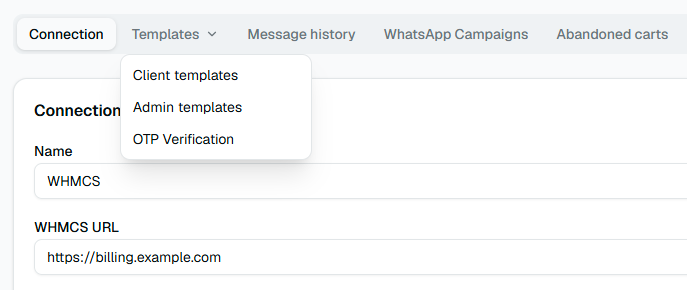
Client templates
Client events are grouped roughly like this:
- General — registration, orders, quotes, password change, login
- Services — create, suspend, unsuspend, terminate, package/password changes, cancellation requests
- Domains — register, renew, failed registration, renewal reminder
- Invoices — created, paid, partial, cancelled, reminders, overdue steps
- Tickets — open, admin reply, close
- Abandoned Cart — first, second, and final cart reminders
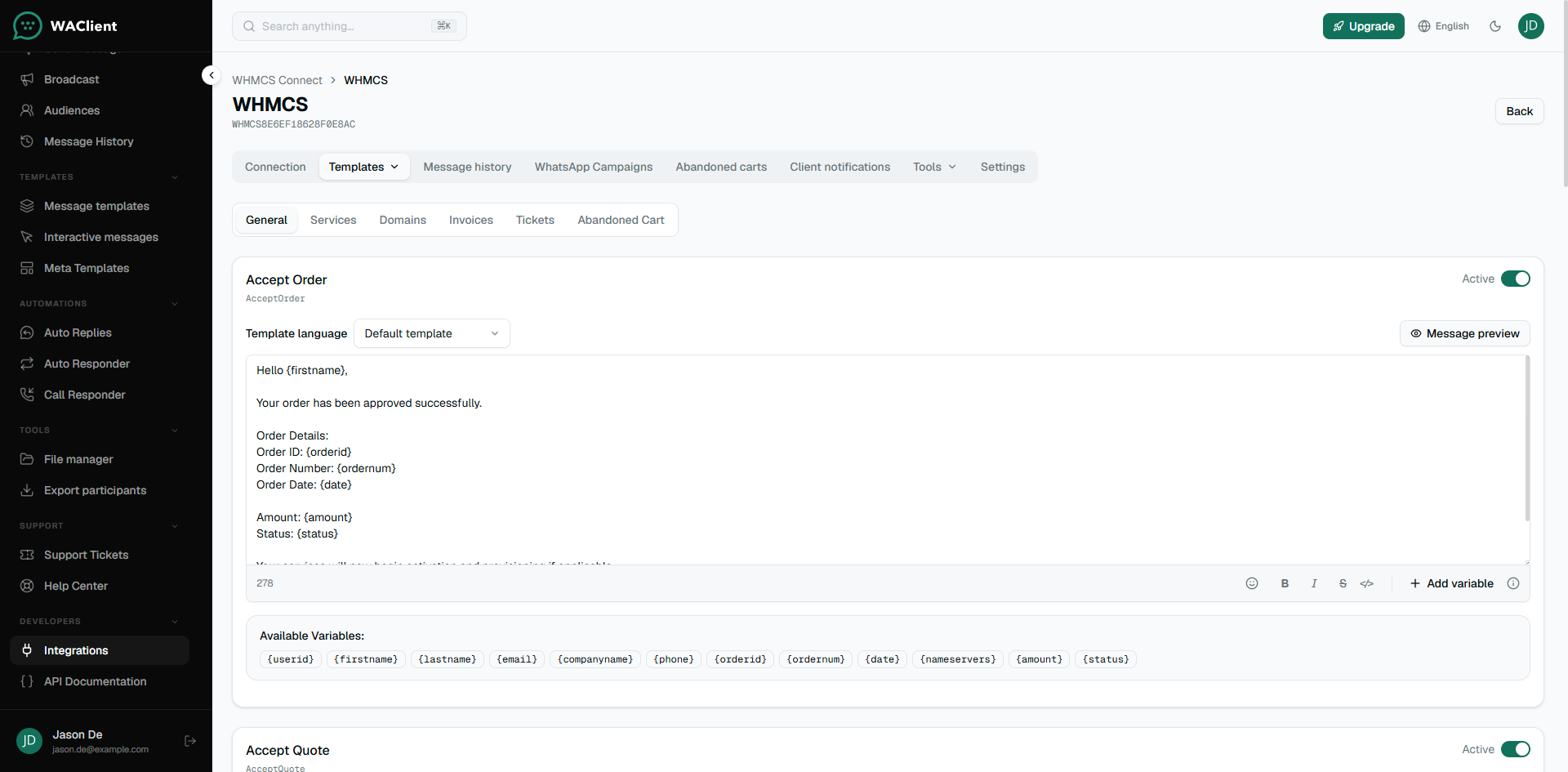
Open a template, write (or map) the message, then set it to Active. Inactive templates never send, even if the WHMCS hook fires.
Placeholders
Each template lists the variables it supports. Common ones:
- Client:
{firstname},{lastname},{email},{companyname},{phone} - Invoice:
{invoiceid},{total},{currency},{duedate},{invoice_link} - Ticket:
{tid},{title},{department},{last_reply_message},{ticket_link}
Use only variables shown for that event. Unknown names stay as plain text in the message.
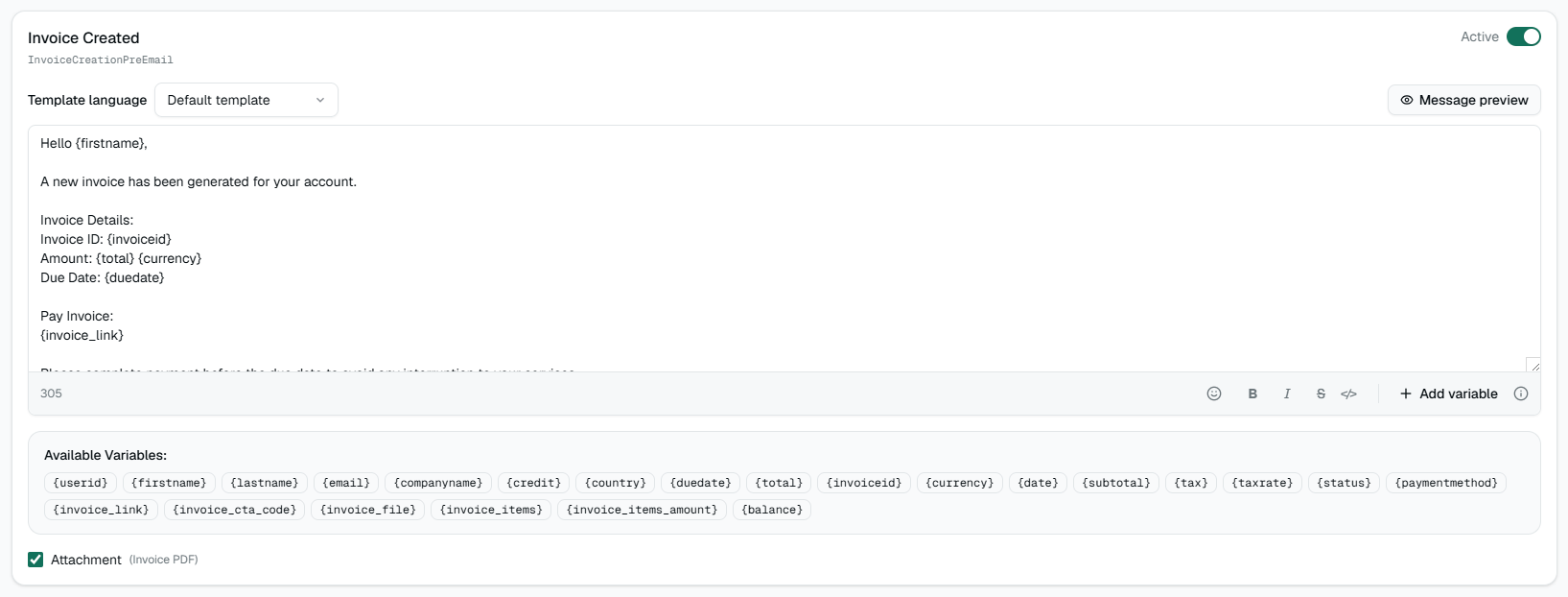
WhatsApp Web templates
Edit the message body directly. Add languages if your WHMCS has more than one language installed (open the connector in WHMCS once so languages appear).
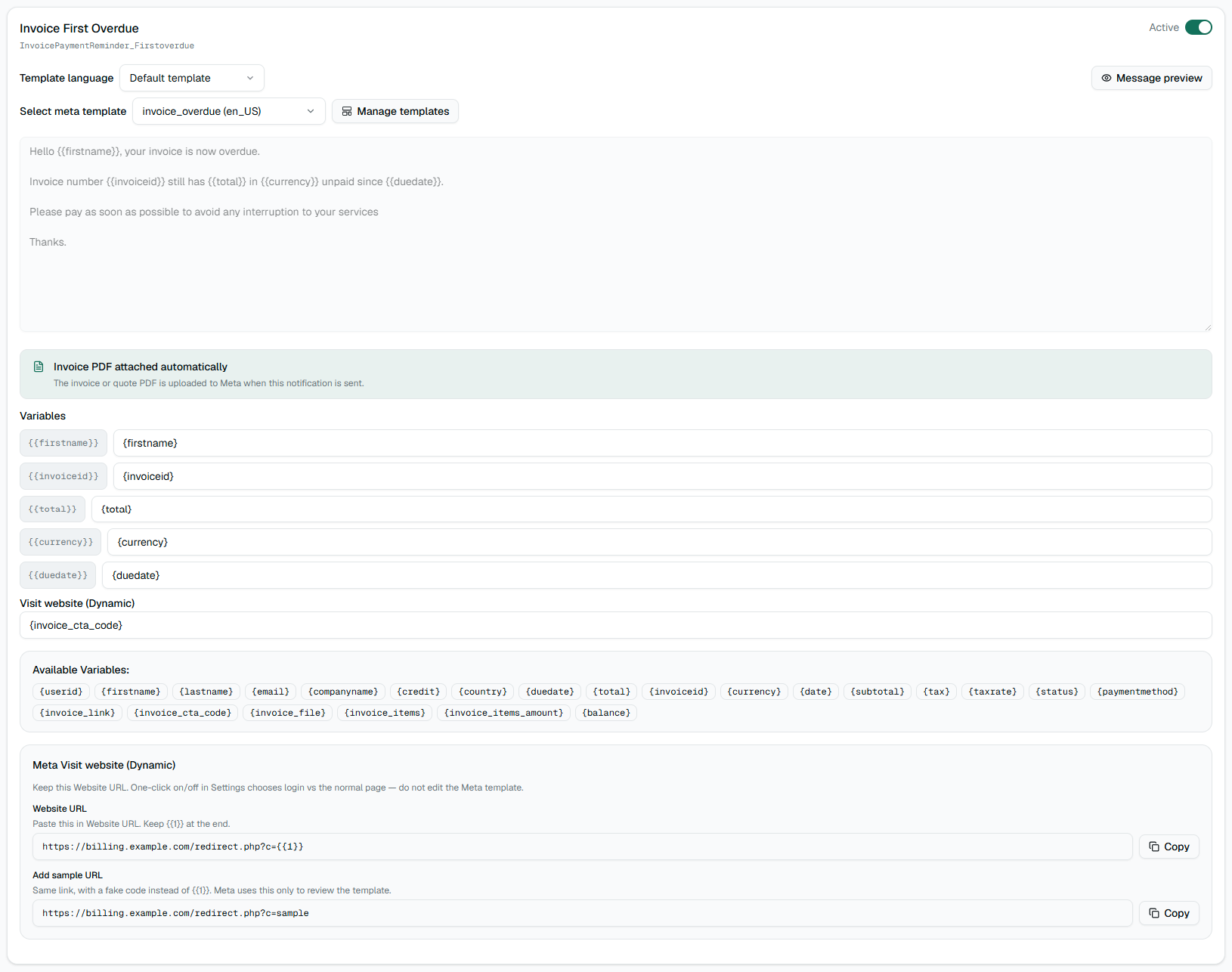
WhatsApp Cloud templates
Select an approved Meta template, then map each parameter to a WAClient variable. Save before you activate the event.
Admin templates
Admin events notify your staff (new client, ticket opened by a user, domain failures, and similar). For each admin template, enter Admin phones as digits only, comma-separated. Without phones, nothing is delivered.
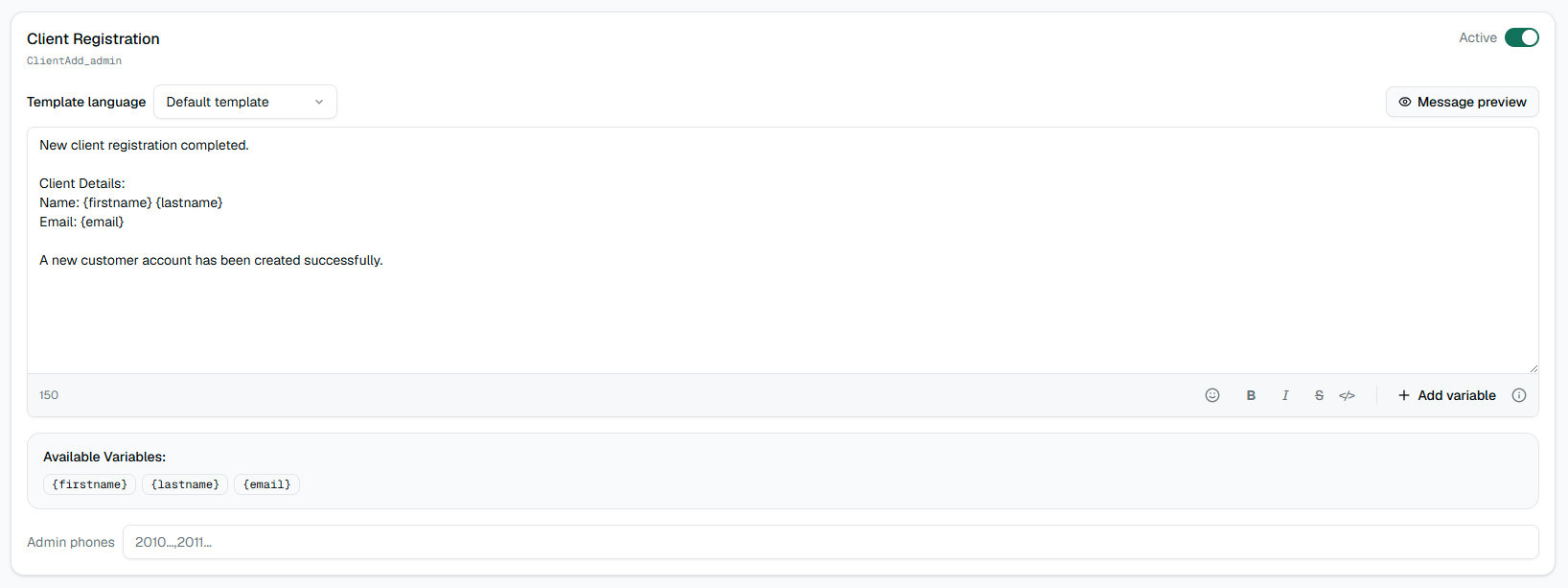
OTP Verification
OTP has its own tab. It is not listed under Client templates. Open OTP Verification to configure the Client Area OTP message that WHMCS sends when a client requests a login or verification code.
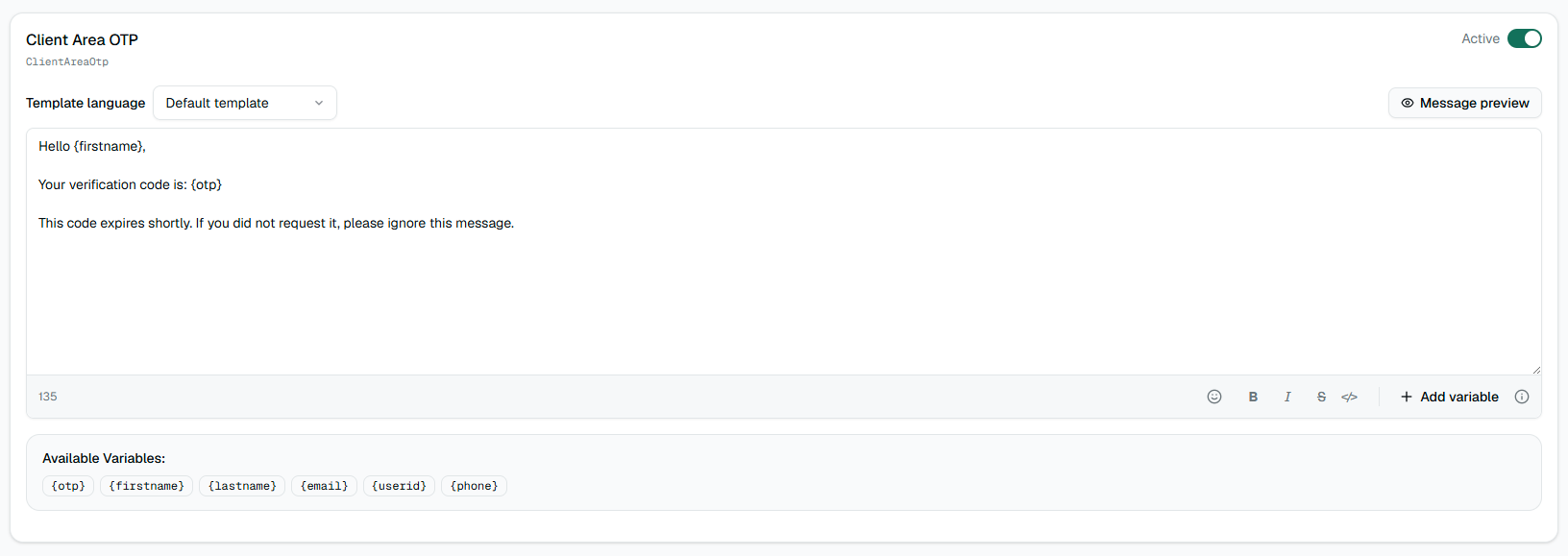
Write (or map) the message, then set the template to Active. While it is inactive, WHMCS never sends a code over WhatsApp.
Supported variables:
{otp}— the verification code (required)- Client:
{firstname},{lastname},{email},{userid},{phone}
For WhatsApp Web, edit the body and keep {otp} in the text. For WhatsApp Cloud, choose an approved Meta Authentication template and map the code parameter to {otp}.
Resend wait time and code lifetime are set under the connection Settings tab (not on the OTP tab). Defaults are typically 30 seconds before resend and 300 seconds code validity.
Message history
Use the Message history tab on the connection to see what left WAClient after WHMCS fired an event. If history is empty, the template is probably inactive, the client has no usable phone, or WhatsApp is offline.