

Connect WHMCS to WAClient
Install the WHMCS connector, create a connection in WAClient, and link them with your Connection ID and Secret.
WAClient talks to WHMCS through a small addon called the WAClient Connector. You create the connection in your WAClient dashboard, then paste the credentials into WHMCS. After that, templates and most options stay in WAClient; WHMCS only needs to stay connected.
What you need
- A WHMCS installation you can access as admin
- At least one WhatsApp account in WAClient (Web or Cloud)
- The connector package from WAClient
1. Download and install the connector
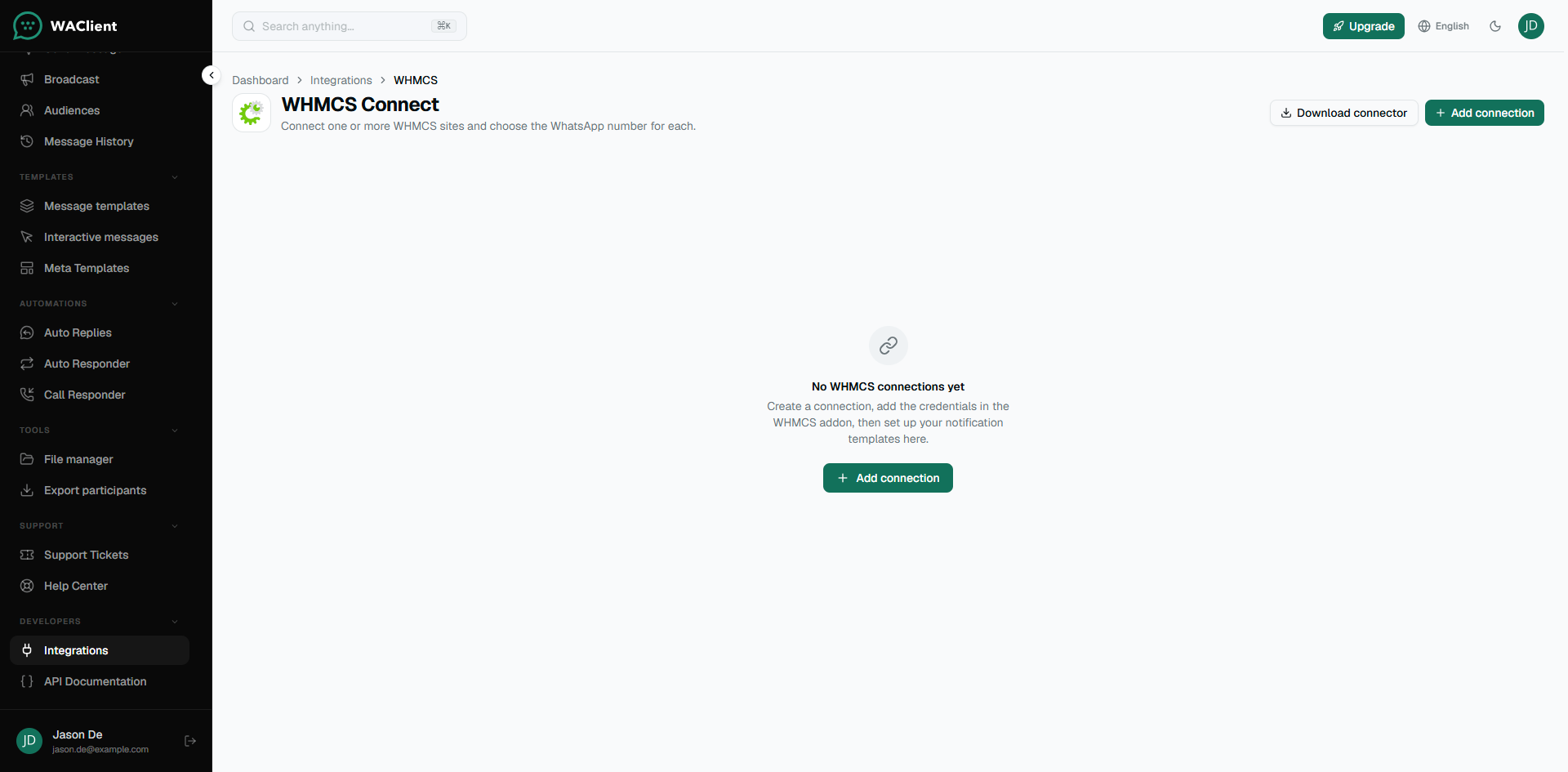
In WAClient go to Integrations → WHMCS Connect and click Download connector.
Upload the addon into WHMCS under modules/addons/waclient, Copy redirect.php and restore.php from the package into the WHMCS root.
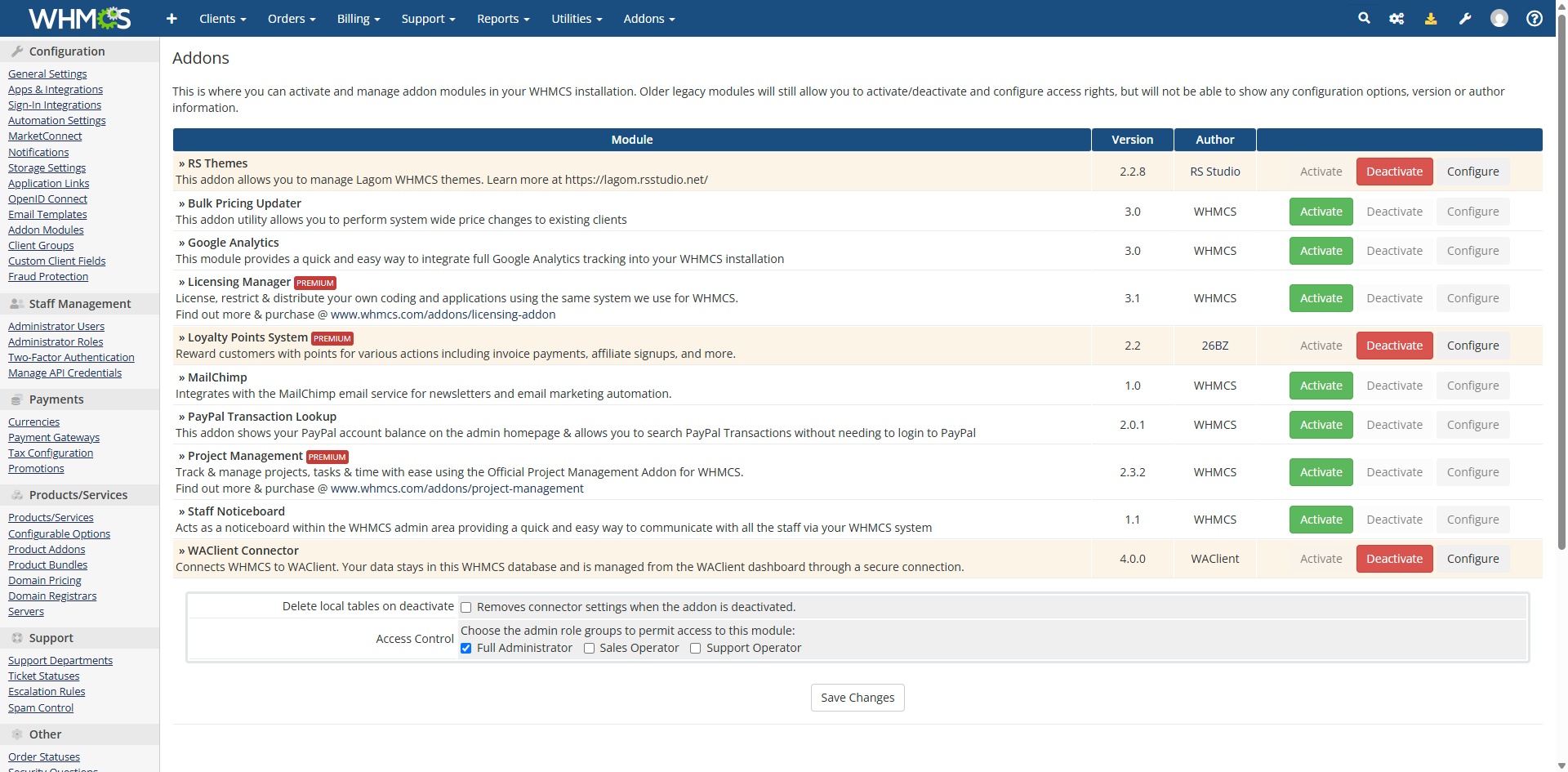
then activate WAClient Connector from Setup → Addon Modules (or System Settings → Addon Modules).
2. Create the connection in WAClient
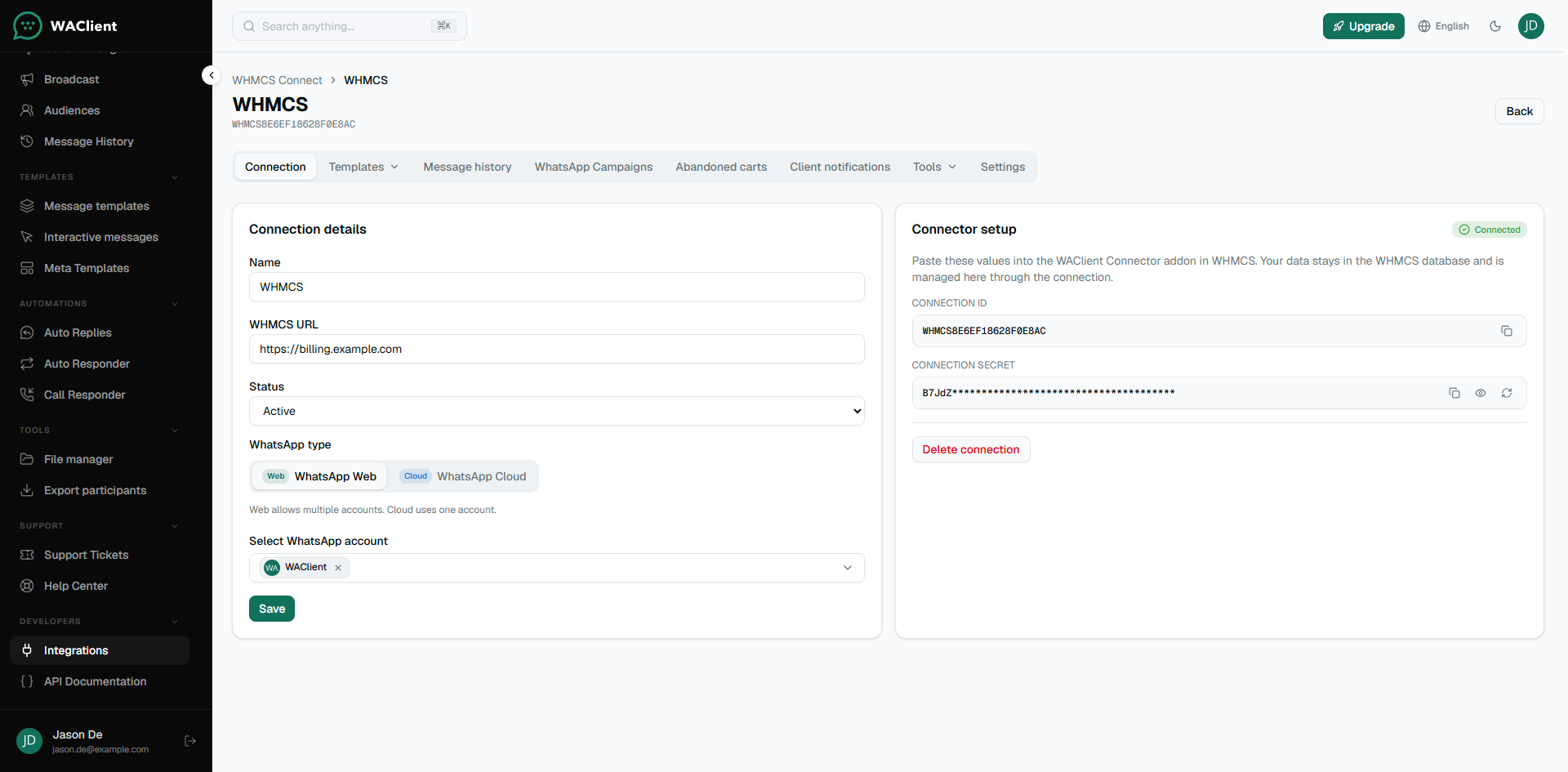
Back in WAClient, open Integrations → WHMCS Connect and click Add connection.
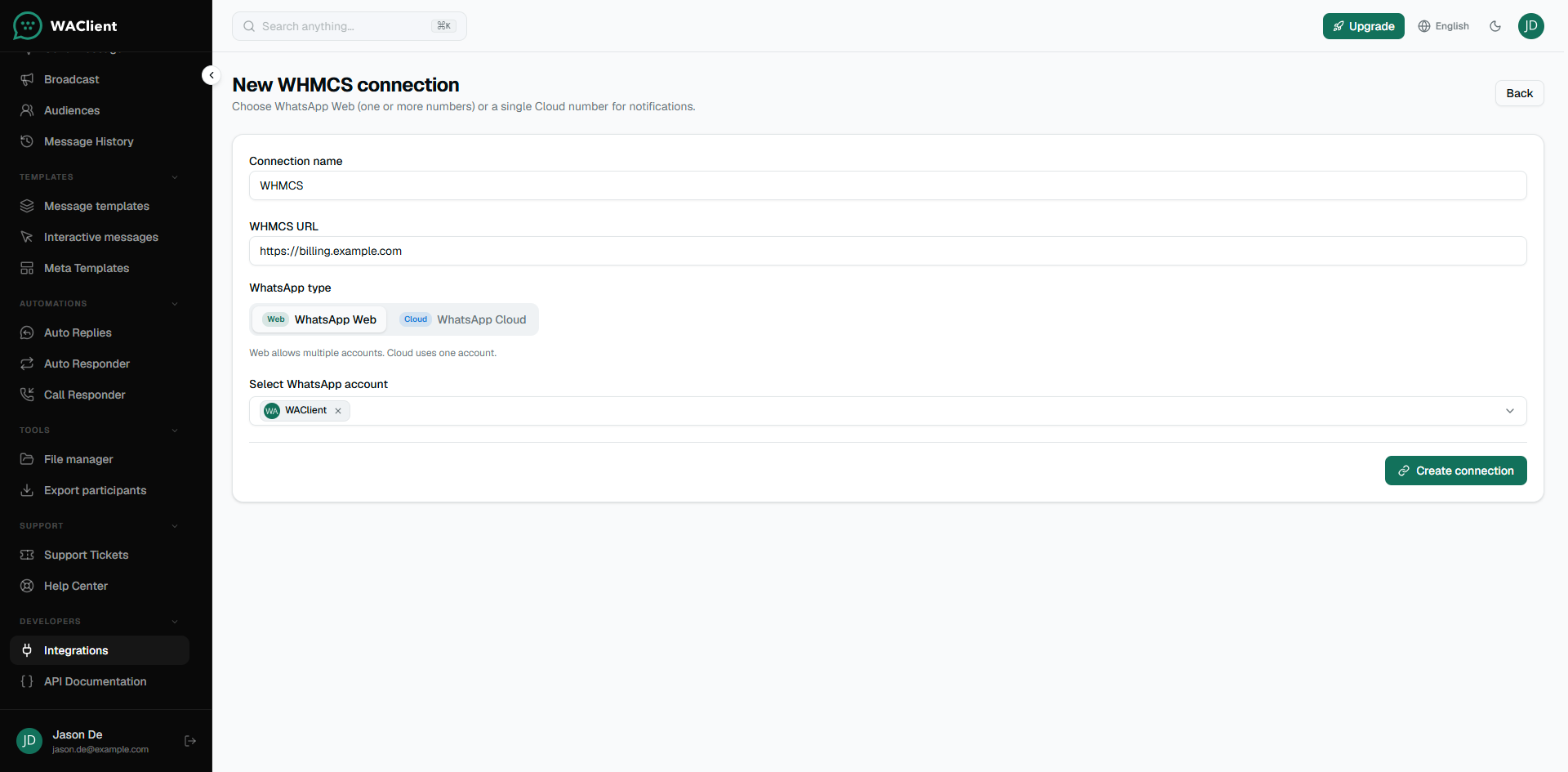
- Give it a clear name (for example: Production billing).
- Enter your WHMCS URL, like
https://billing.example.com(no trailing slash needed). - Choose WhatsApp Web or WhatsApp Cloud. Web can use more than one number. Cloud uses one account per connection.
- Pick the WhatsApp account(s) that should send messages.
- Save the connection.
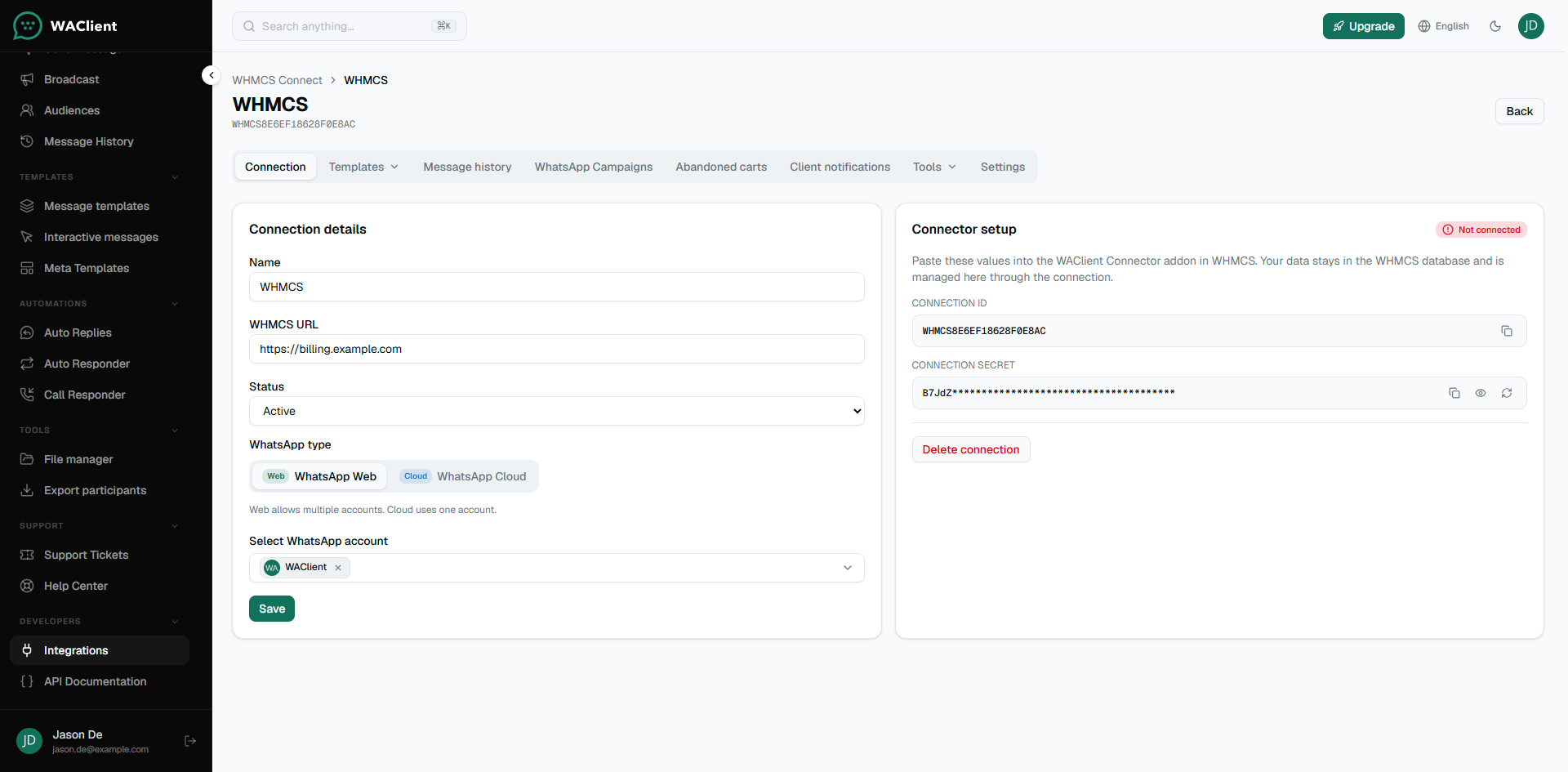
WAClient shows a Connection ID and a Connection Secret. Copy both. The secret is shown once when it is created—store it somewhere safe.
3. Connect from WHMCS
Open the addon in WHMCS admin and paste the Connection ID and Connection Secret, then click Connect.
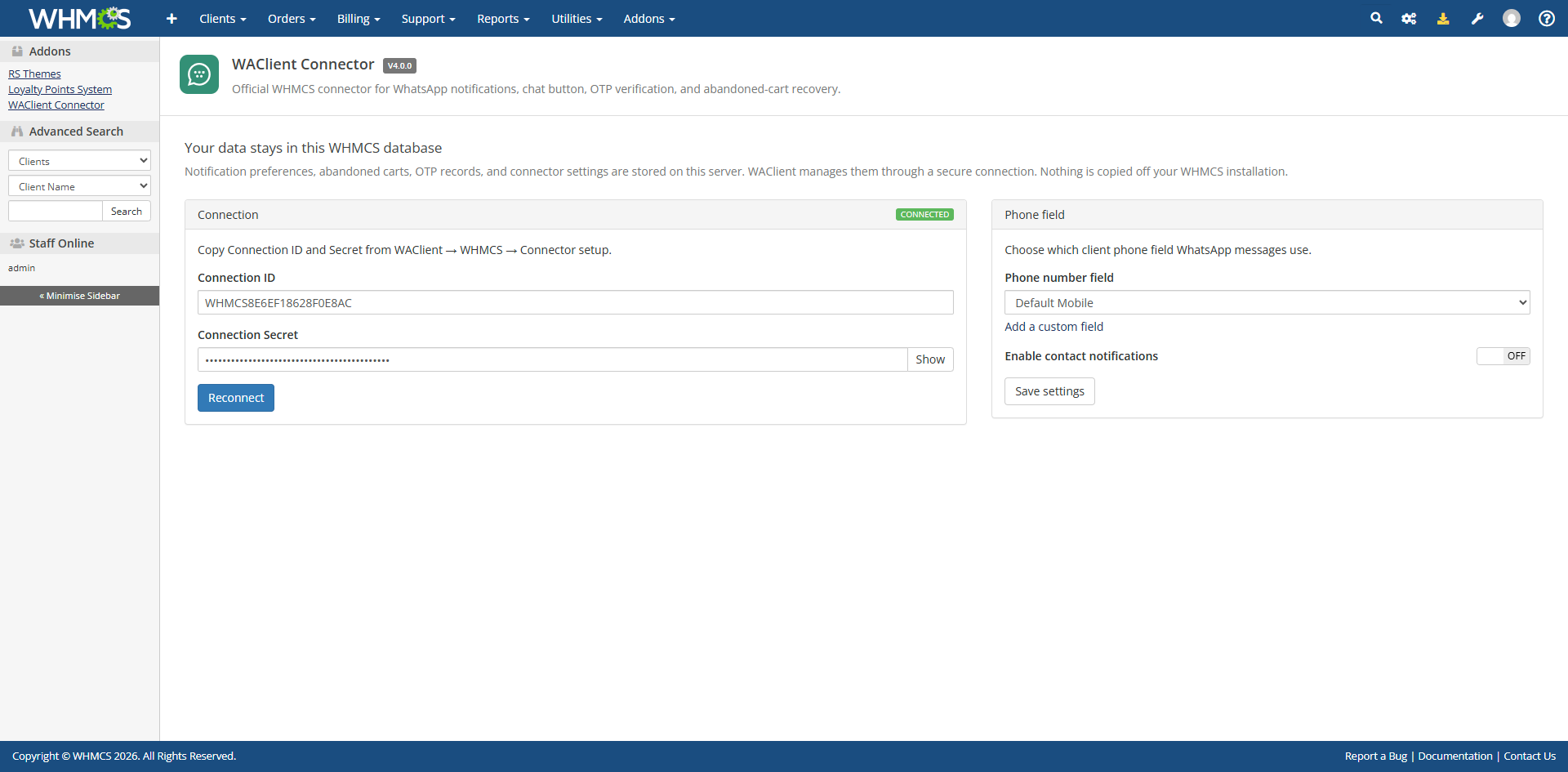
When the handshake works, the status becomes Connected on both sides. In WAClient, open the connection and check Connector setup—it should read Connected.
If it stays “Not connected”
- Confirm the WHMCS URL is reachable from the internet (or from your WAClient server).
- Make sure you pasted the current secret, not an old one.
- If you regenerated the secret in WAClient, update it in WHMCS and reconnect.
- Check that the WhatsApp account is online. Offline WhatsApp shows as a separate problem from a broken connector.
After you are connected
Open the connector settings page in WHMCS once. That loads your WHMCS languages into WAClient, which matters if you use WhatsApp Web with multi-language message bodies.
Next, set up templates under the connection in WAClient. Until a template is Active, that event will not send.