

Client area OTP over WhatsApp
Send WhatsApp one-time codes for client area verification using the WHMCS connector.
OTP sends a six-digit code to the client’s WhatsApp number when your WHMCS flow asks for verification. Enable it from the connection’s OTP Verification area (the Client Area OTP template), then tune timing under Settings.
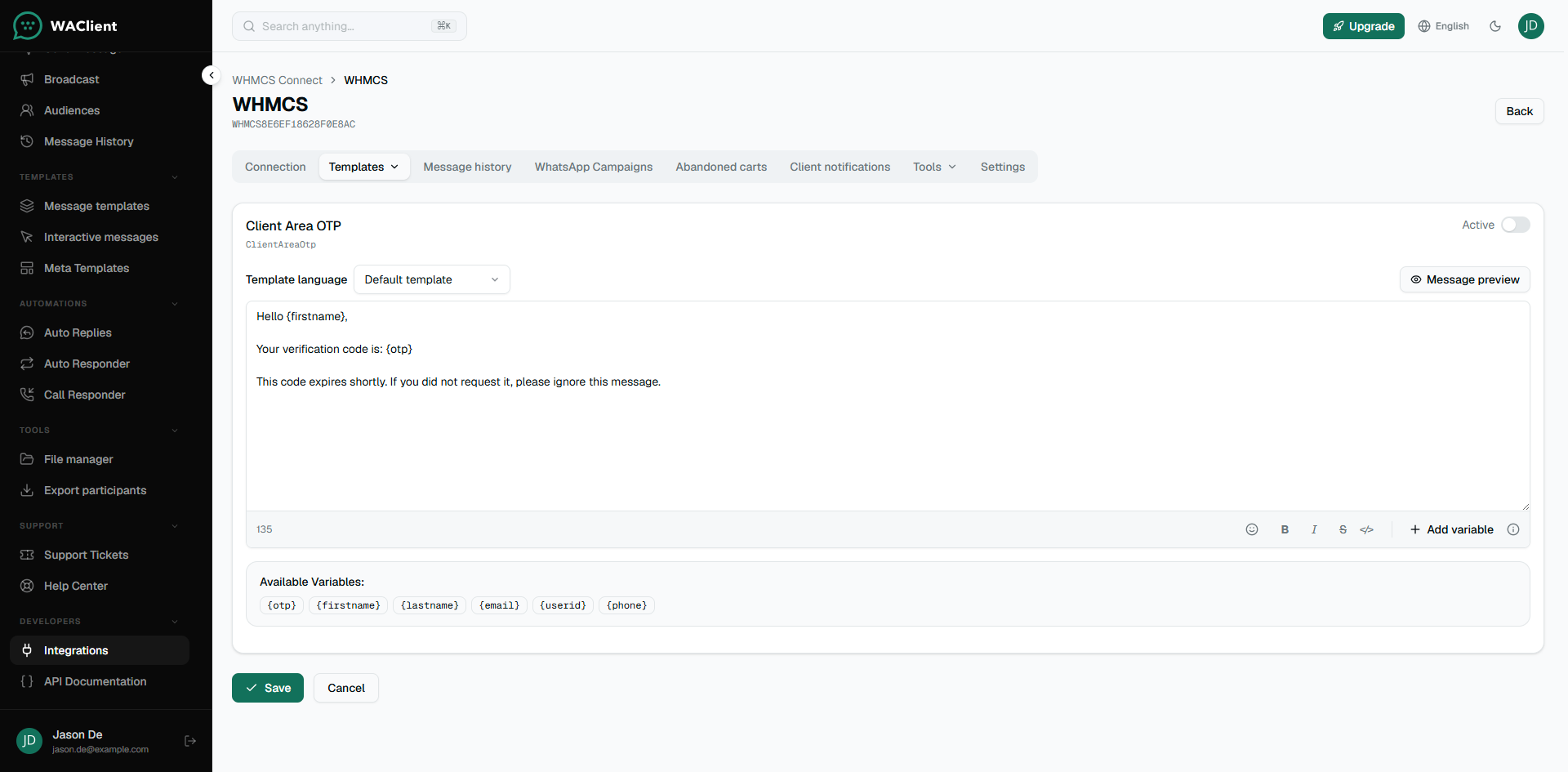
Enable OTP
- Open OTP Verification (or the Client Area OTP template under client templates).
- Set the message. Include
{otp}so the code appears. - Mark the template Active.
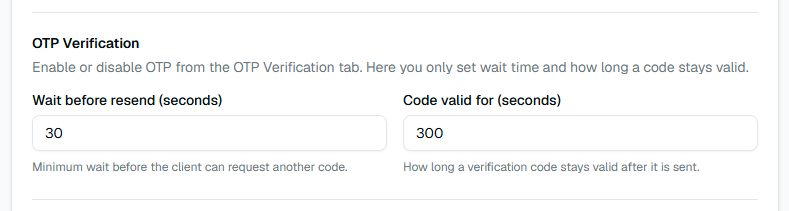
Timing settings
In Settings, set how long the client must wait before requesting another code, and how long a code stays valid.
Phone numbers
OTP uses the phone field configured in the WHMCS addon (default mobile number or a custom field), plus the default country code when needed. Fix wrong or missing numbers there first if codes never arrive.
OTP is sent to the client only. It is not copied to account contacts, even if contact notifications are enabled.
Cloud note
On WhatsApp Cloud, map a Meta authentication or utility template that includes a code parameter, and map that parameter to {otp}.