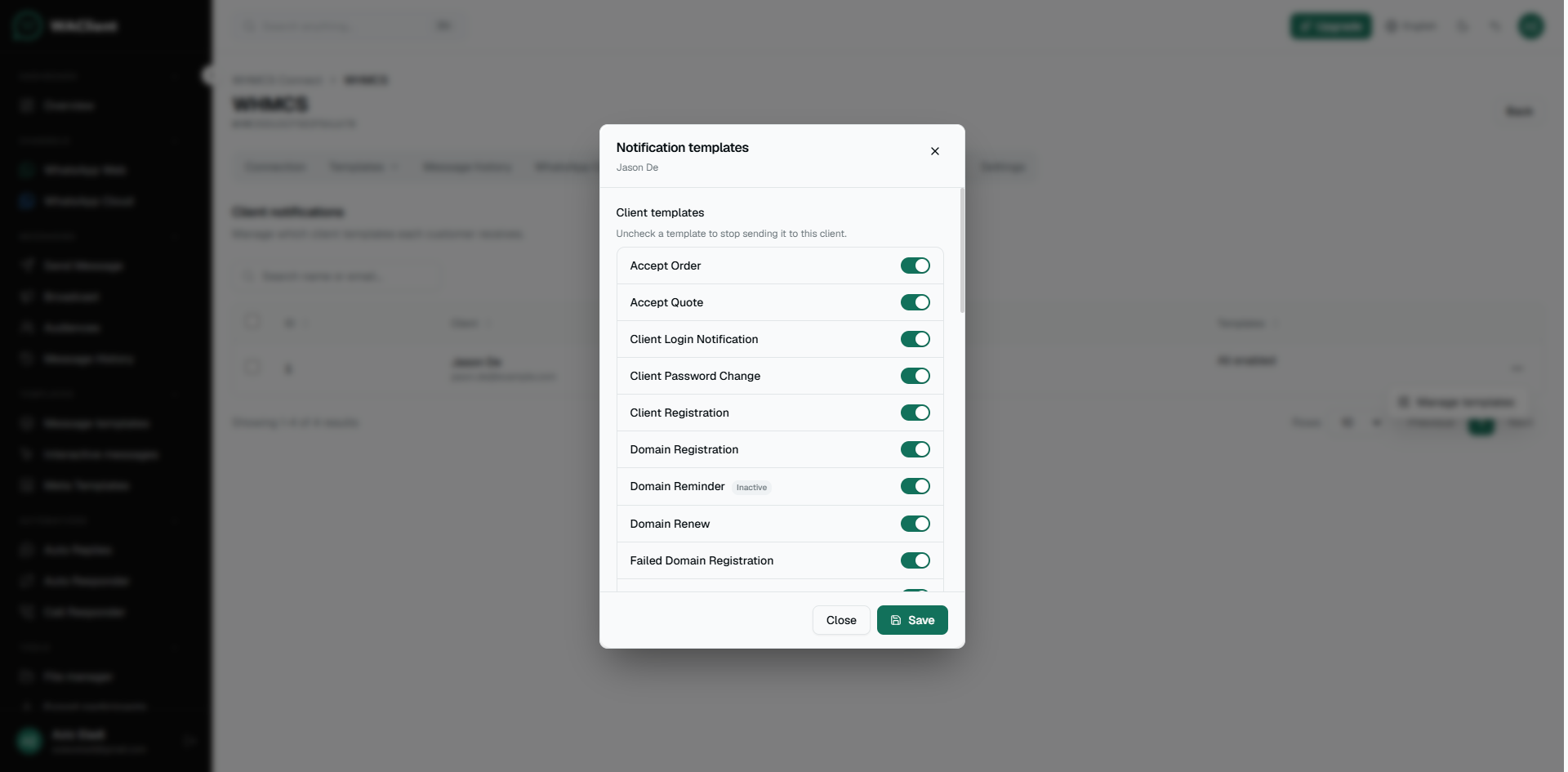

Phone numbers, contacts, and client notification preferences
Choose which phone WHMCS uses, notify account contacts, and let clients manage WhatsApp preferences.
Phone number field (WHMCS addon)
In the WAClient Connector settings in WHMCS, choose where the mobile number comes from:
- Default Mobile — the standard WHMCS phone field
- Custom Field — a client custom field you already use for WhatsApp
If you use a custom field, set Default country code as digits only (example: 966), without +.
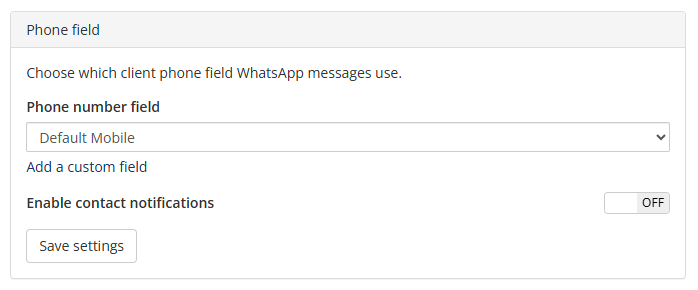
Contact notifications
Enable Enable contact notifications if account contacts should also receive client events. WHMCS contact email preferences still apply (invoice, domain, support, product, general). OTP and admin alerts are not copied to contacts.
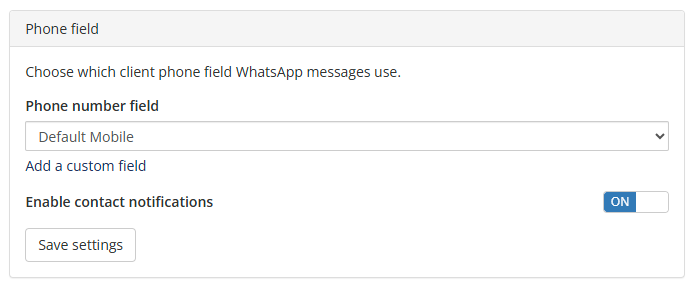
Client notification control
In WAClient, open the connection → Settings and enable Client notification control if clients should manage their own WhatsApp preferences in the client area.
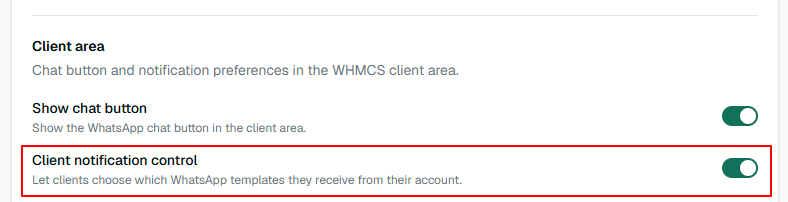
Clients then see a WhatsApp Notifications area where they can turn notifications off or limit certain templates.
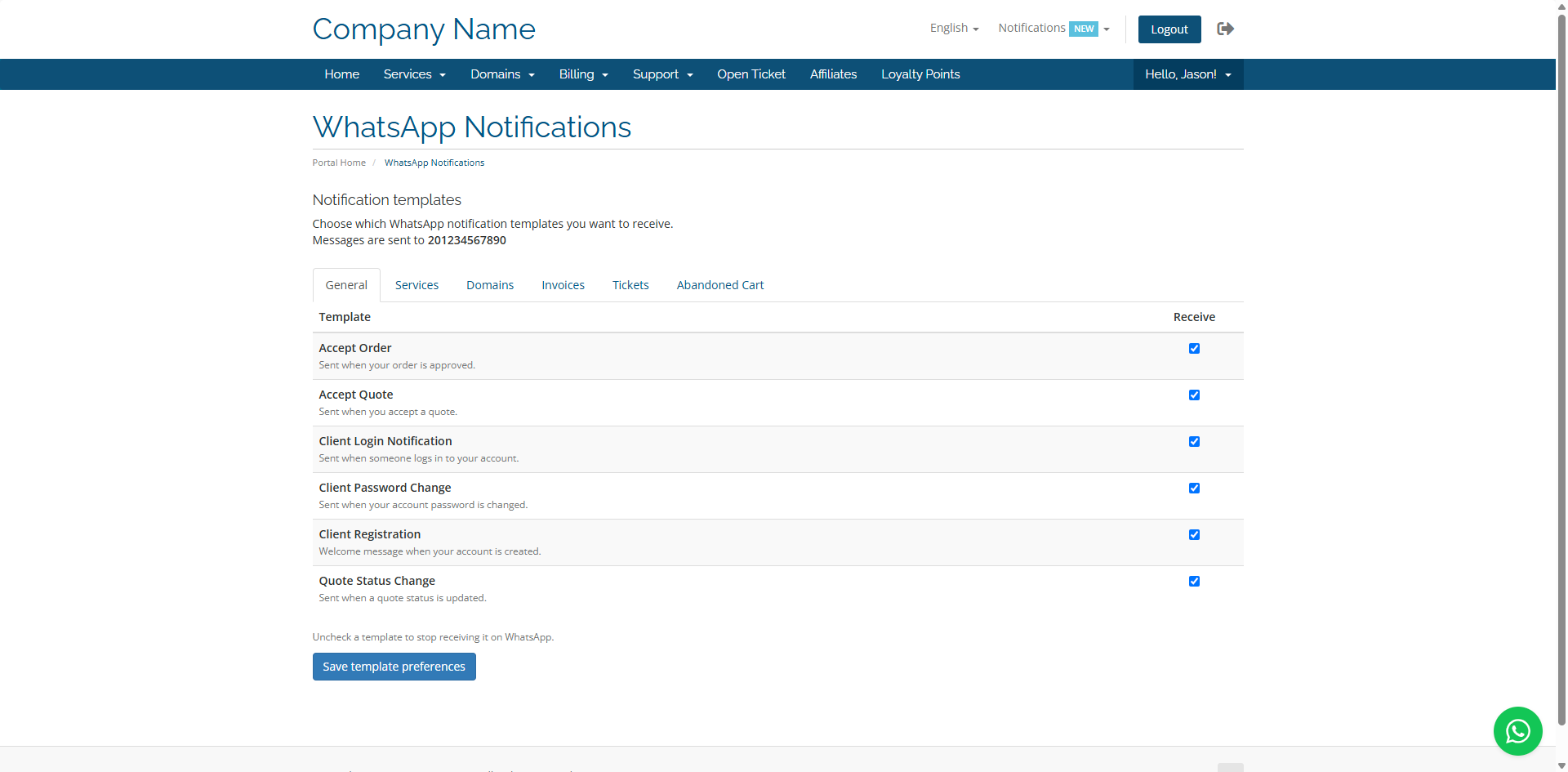
Staff can review or adjust preferences from the connection’s Client notifications tab in WAClient.