

WhatsApp campaigns for WHMCS clients
Filter WHMCS clients and send a WhatsApp campaign from your connection.
Open the connection → WhatsApp Campaigns to message a filtered set of WHMCS clients without exporting lists by hand.
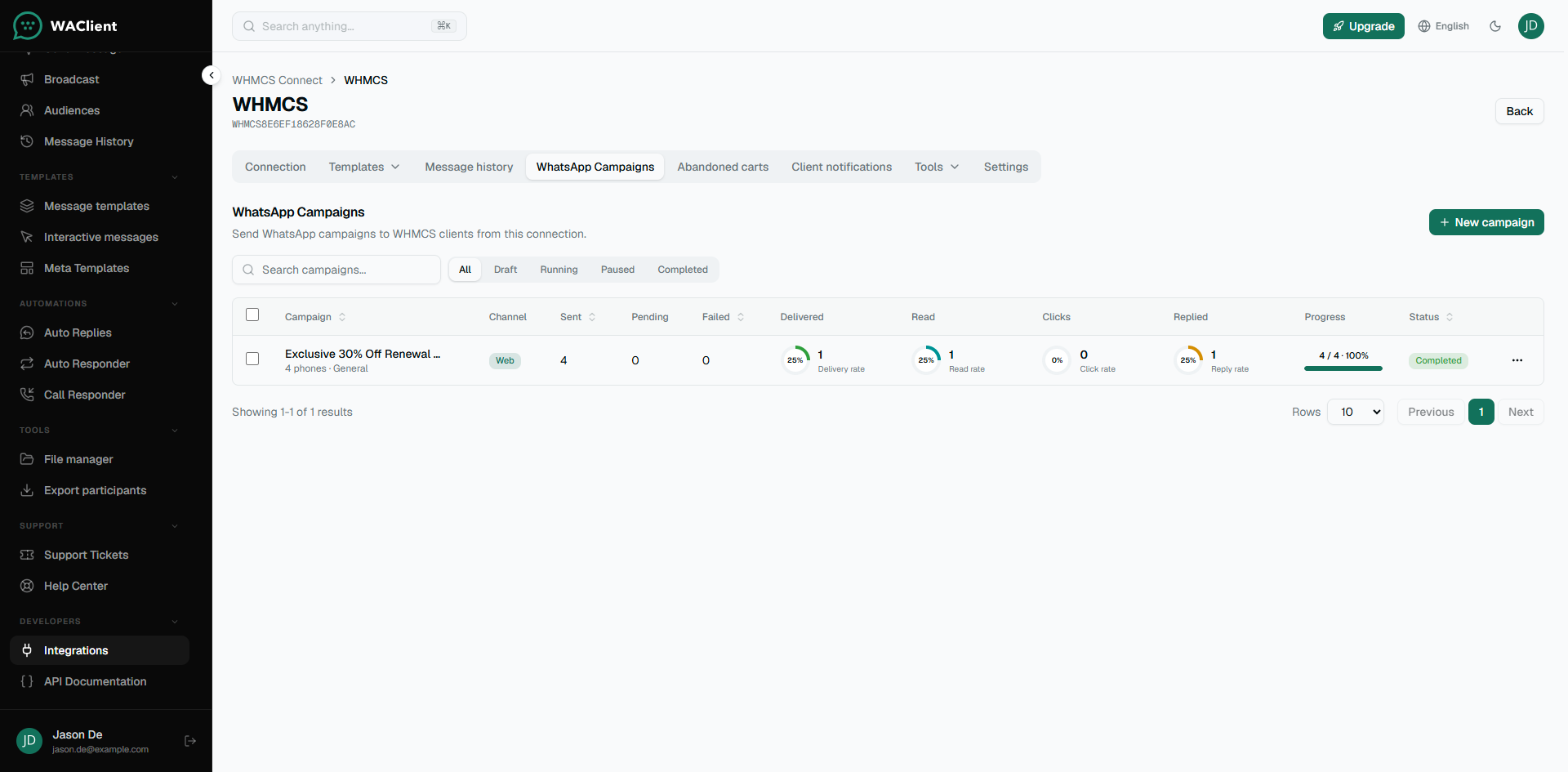
Create a campaign
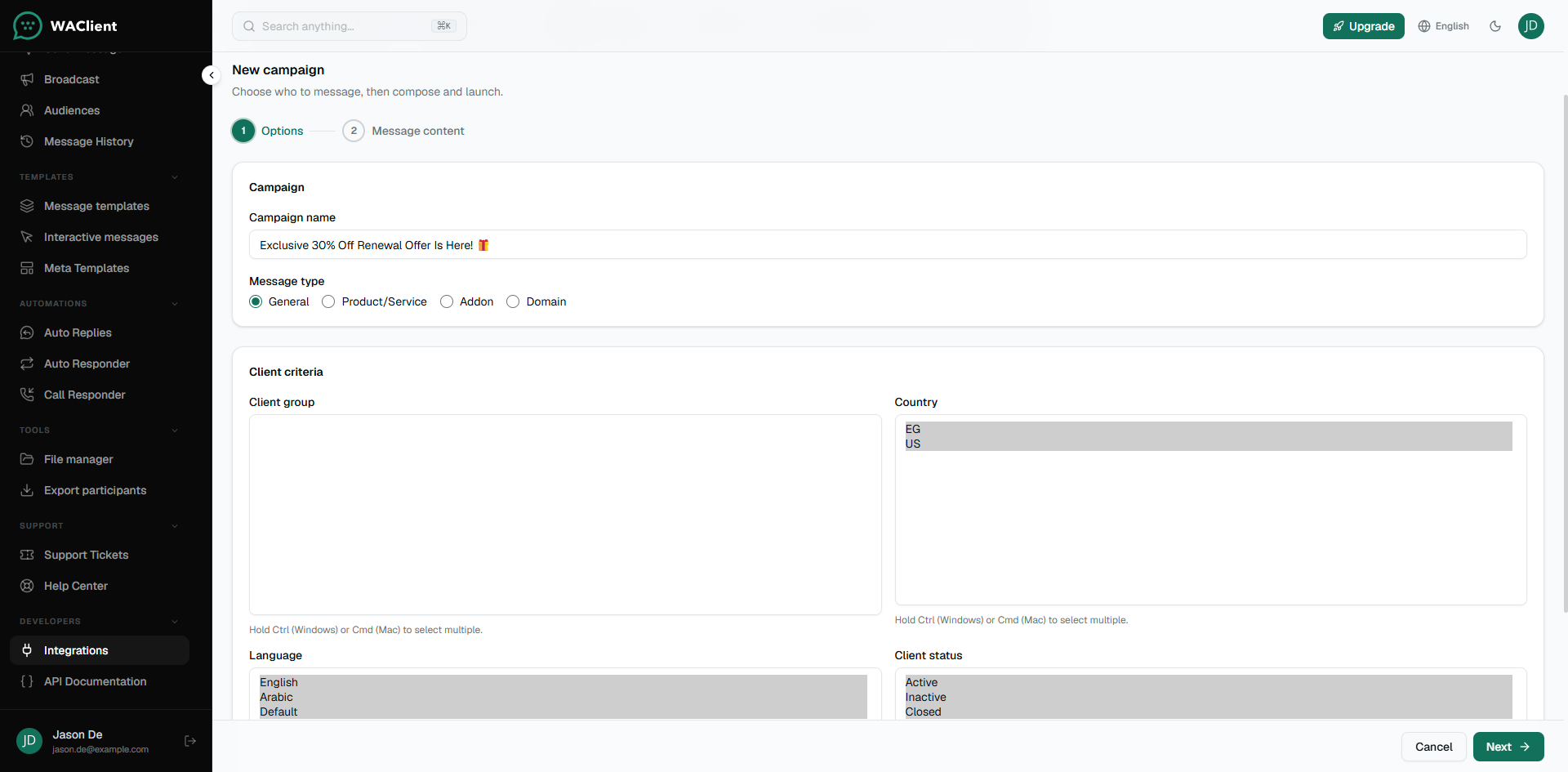
- Click New campaign.
- Choose filters (client group/status, products/services, addons, domains, and similar options available in the form).
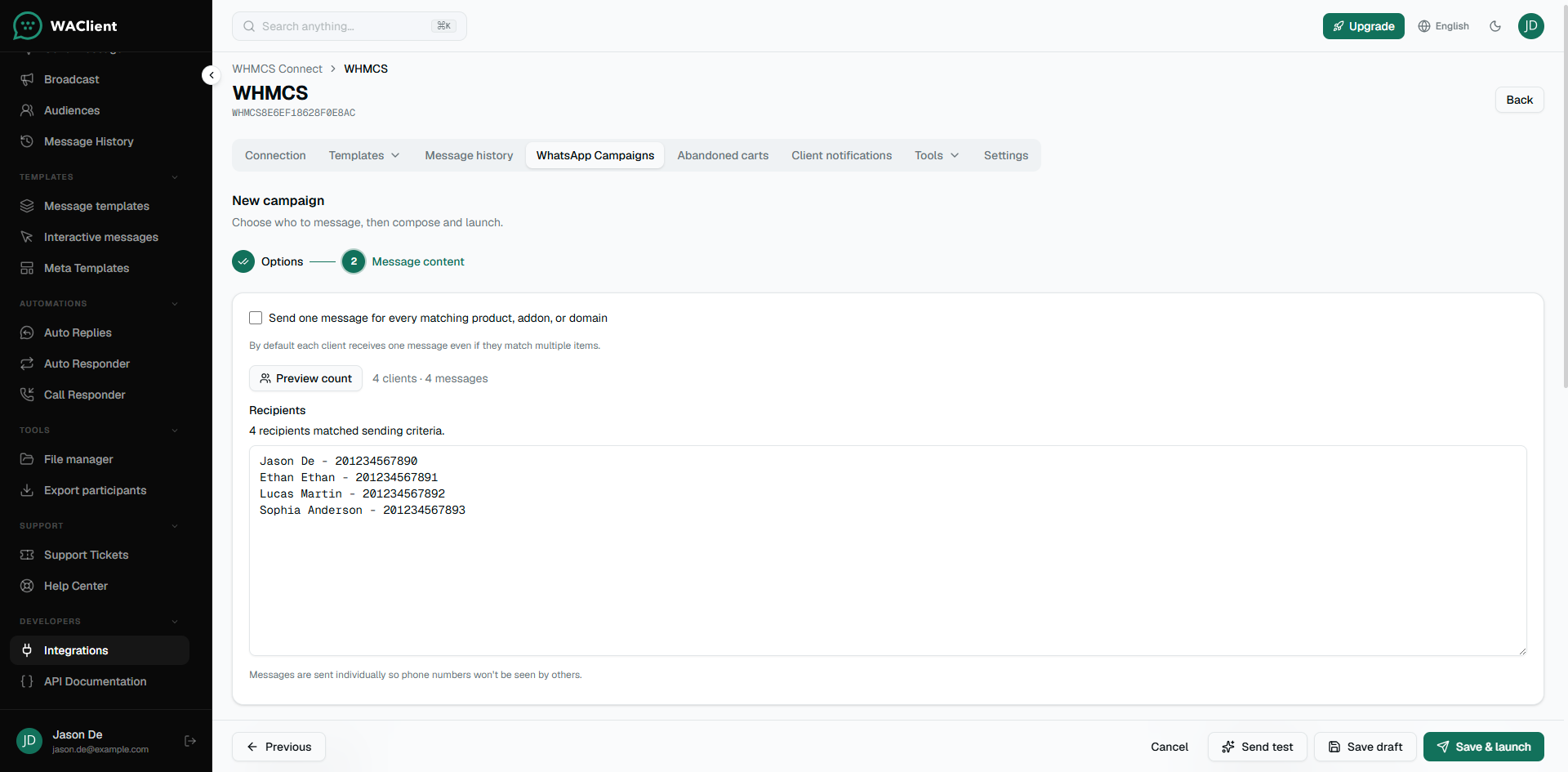
- Decide whether each client gets one message, or one message per matching product/addon/domain.
- Set send spacing and start time if you need a slower rollout.
- Compose the message (Web) or select a Meta template (Cloud).
- Save as draft, or save and launch.
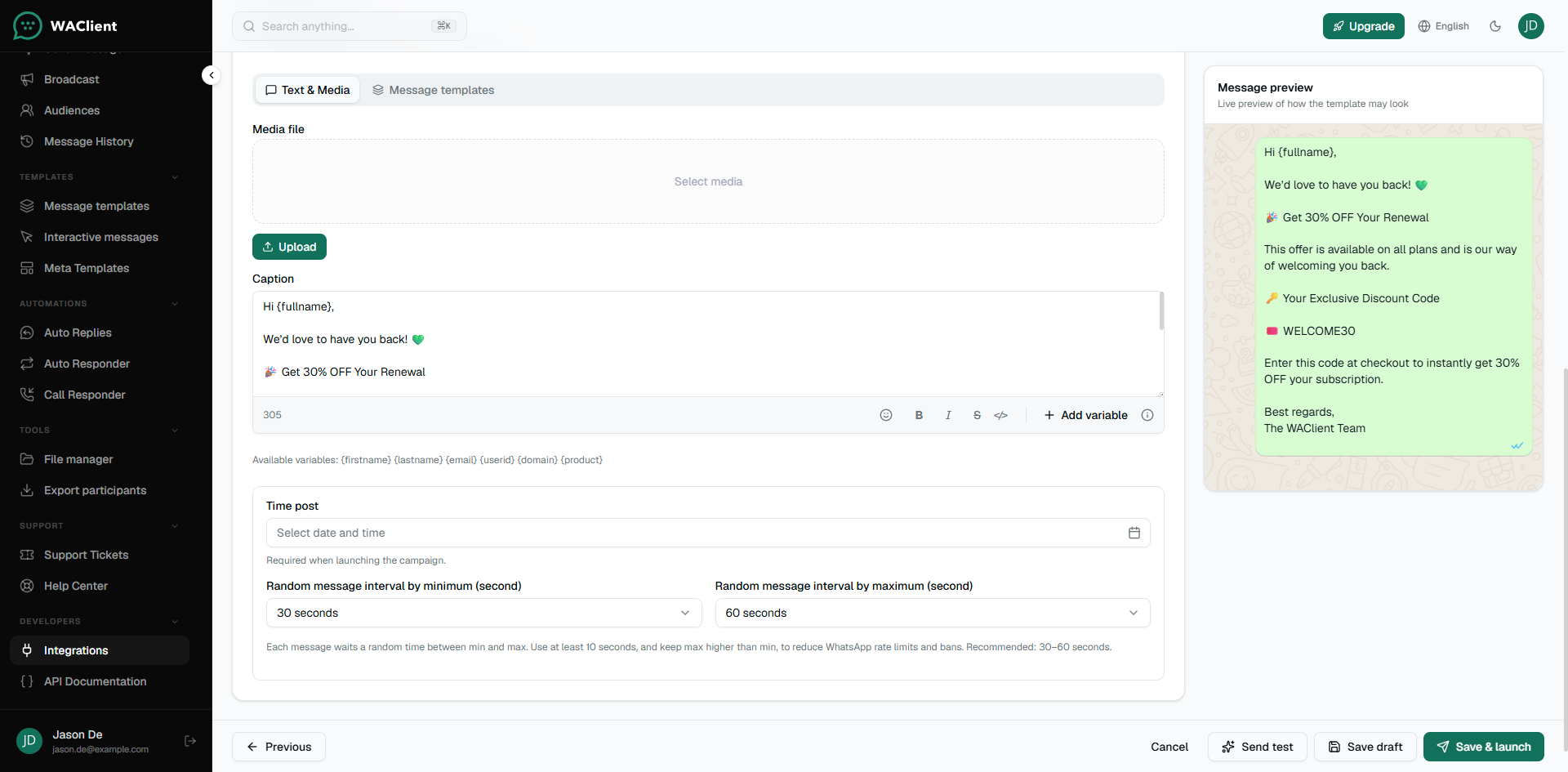
Cloud: campaigns require an approved Meta template.
Web: you can send a normal text or media message.
After launch
Pause or resume from the campaigns list. Open insights when you need delivery details. On Cloud, fuller read/click style analytics need a working Meta webhook on that account.
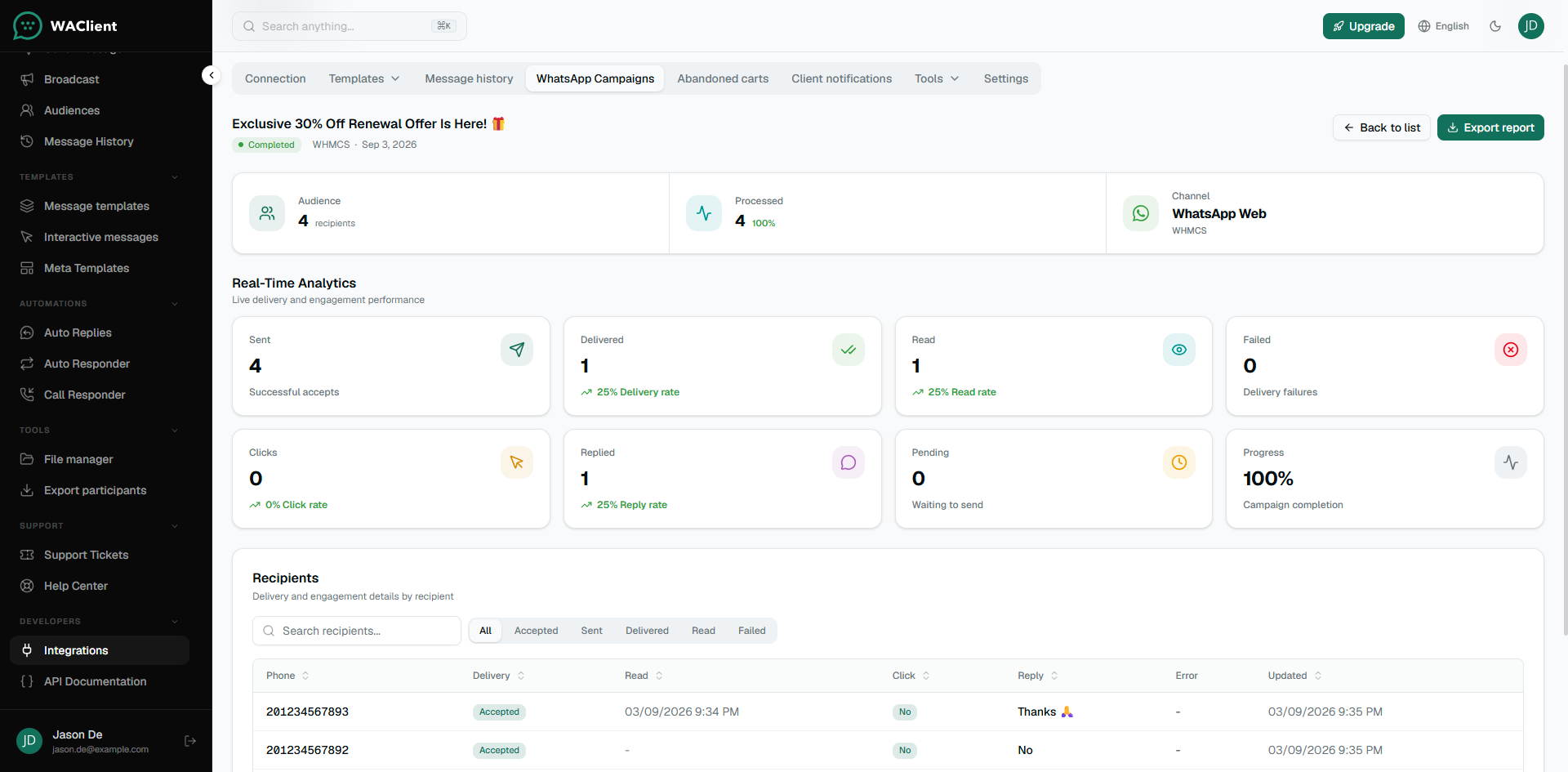
Recipient data is read from WHMCS at send time. Campaign setup and history for the connection are managed in WAClient.